What is a now page?
While I was researching various options for blog software, I stumbled upon Herman’s Blog, from the creator of Bear. What immediately caught my attention was a button in the header that I hadn’t seen before: now.
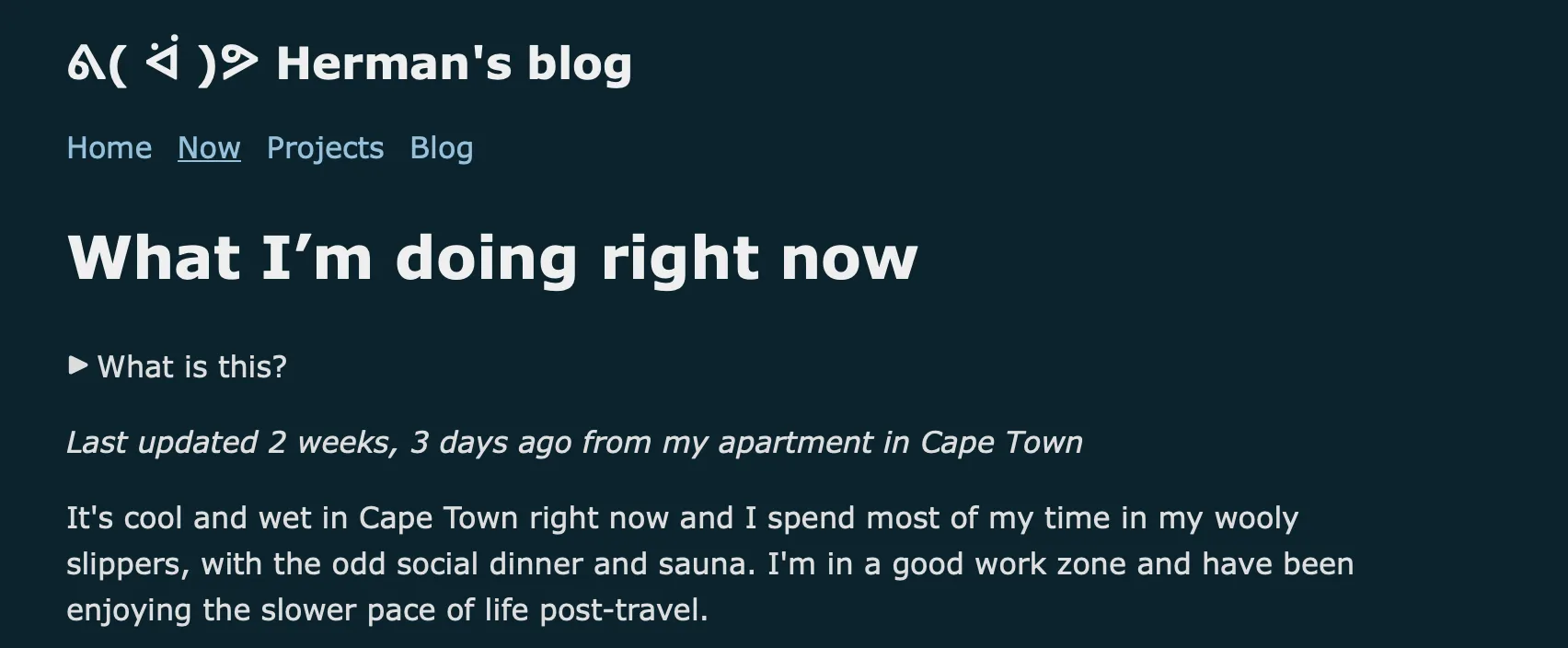
It’s a page that is actively updated and shows what someone is currently into or doing. The first thing I asked myself was “why don’t I have this yet?”. In the past, I’ve thought about how the information I put on my website and blog gets outdated too quickly because what I do changes so often. I’ve even thought of a now page as a solution, but always figured the idea was too dumb to actually do.
I was surprised to see that it’s actually a pretty popular thing. There is even a website just for it: nownownow.com, which also has a FAQ page explaining the idea in detail. It has a big listing of now pages, including 8 from Bulgaria. I will soon be the 9th!
My Implementation
After seeing that, I knew I had to make one for myself.
My blog is based on Hugo and automatically builds on every commit using workflows.
Making a new page on my blog is very easy. The problem is the update flow. When I’m writing a blog post, I usually start in Apple Notes, then when it’s a bit more mature I transfer it to a draft version of my blog and eventually publish it. Even though I won’t have to write a big blog post every time I update my now page, it would still take time, effort, and a computer to open VSCode, find the file, update it, and commit.
I decided to use Apple Shortcuts to make a shortcut to quickly update my now page. It’s an app that lets you make small scripts using blocks, and those blocks are surprisingly capable. Shortcuts supports variables, HTTP requests, working with JSON, and App Intents, which are actions that installed apps can expose to Siri/Shortcuts. It also integrates well with the Apple ecosystem and is already installed on both my phone and laptop. If you’re an Apple user and haven’t tried it yet, you definitely should.
In about 15 minutes, I managed to make a simple shortcut that pushes a file called now.txt to my blog’s GitHub repo.
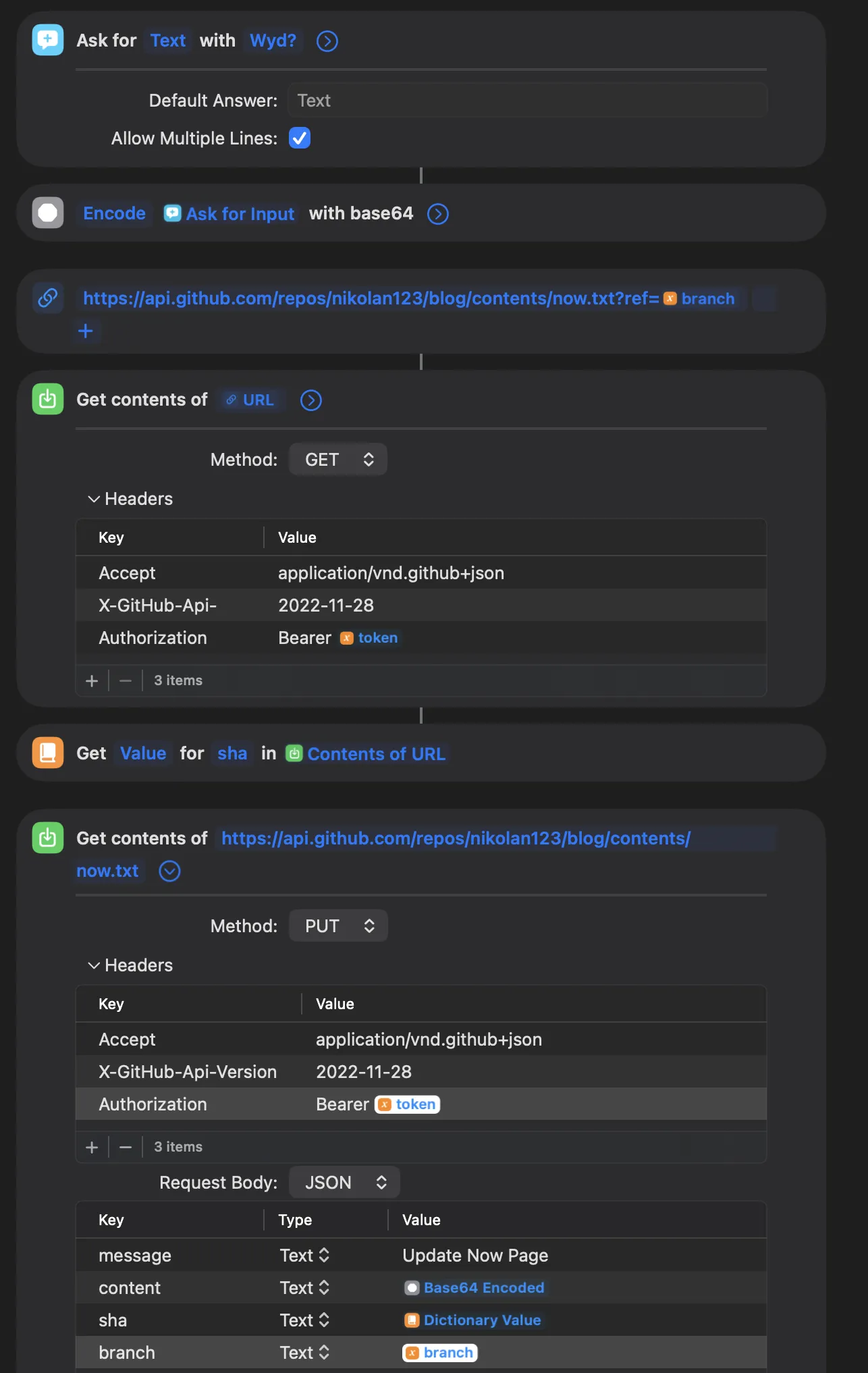
I can run that from a Home Screen shortcut on my phone or Spotlight on my Mac. With this setup it takes about 3-5 seconds to start it.
But pushing a single text file doesn’t automatically update my blog. To fix that, I updated my existing build script to read the text file and generate a JSON file with the status itself, when it was last updated, and how many times it changed in the last month.
By placing generated JSON like this in Hugo’s data/ directory:
{
  "content": "new page testing",
  "updatedAt": "2026-06-27T20:54:16.000Z",
  "updatedDate": "Saturday 27th, June 2026",
  "updateCount": 2
}
I can access that data from any template like this:
{{ .Site.Data.now.content }}
{{ .Site.Data.now.updatedAt }}
{{ .Site.Data.now.updateCount }}
And that’s basically all. I have a now page now. You can find it at /now and the blog’s homepage.
This post is on the shorter side, but I’ll hopefully have some longer and more interesting ones up soon.